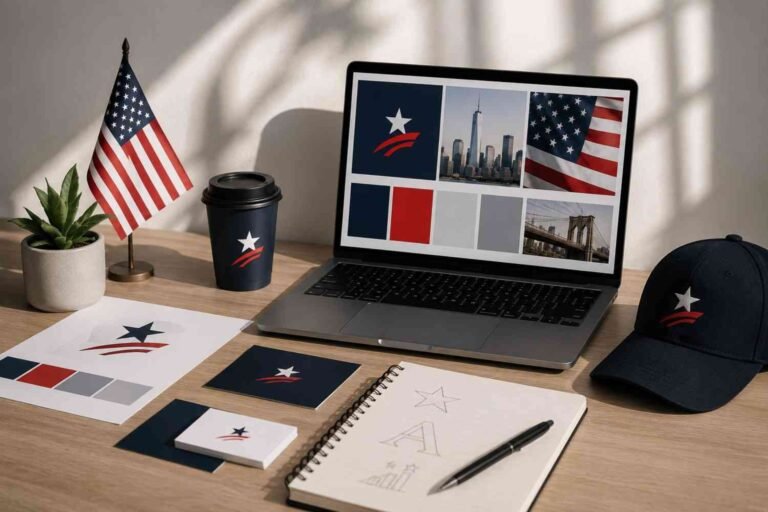

Content creation for brand visuals is not just about making pretty graphics. It is about creating images, videos, layouts, colors, and design assets that help people recognize your brand faster. When your visuals feel consistent across your website, social media, emails, product pages, and ads, your audience starts to trust you before they even read your full message.
I like to think of brand visuals as your business’s first handshake. A strong visual can make someone stop scrolling, click your post, remember your name, or feel more confident buying from you. But if your visuals look random, outdated, or disconnected, even great content can feel less professional.
What Are Brand Visuals?
Brand visuals are the visible design elements that represent your business. These include your logo, color palette, typography, images, videos, icons, patterns, infographics, product photos, social media graphics, website banners, packaging, and presentation slides.
The best brand visuals do three things at once. They show your personality, support your message, and make your brand easier to recognize. A wellness brand might use soft colors, natural photos, and calm layouts. A tech brand might use clean lines, bold contrast, and modern graphics. A food brand might rely on warm photography, close-up product shots, and appetite-driven colors.
Why Visual Content Matters for Branding
People process visual information quickly. That is why visuals are so powerful in marketing. A single image can communicate mood, quality, price level, audience, and purpose in seconds.
Strong visual content helps your brand build awareness, improve engagement, and create trust. On social media, visuals help stop the scroll. On websites, they guide visitors toward important information. In emails, they make offers easier to understand. In product listings, they increase confidence by showing what the customer can expect.
Visuals also make your brand more memorable. When someone sees the same colors, fonts, logo style, and imagery repeatedly, your brand becomes easier to recognize.
Essential Elements of Brand Visual Content
Before creating new graphics, make sure your foundation is clear. Every brand needs a simple visual identity system.
Your visual identity system should include:
- Logo variations for different uses
- Brand colors with HEX codes
- Heading and body fonts
- Image style rules
- Icon and graphic style
- Layout and spacing guidelines
- Templates for repeat content
Once these pieces are ready, content creation becomes much faster. Instead of asking, “What should this post look like?” Every time, you already have a system to follow. Many creators use Canva Brand Kits to organize brand colors, logos, fonts, and templates in one consistent visual system.
Start With a Visual Content Audit

Before you create more visuals, look at what you already have. Review your website, Instagram posts, Pinterest graphics, product images, email banners, YouTube thumbnails, and ads.
Ask yourself whether everything looks like it comes from the same brand. Are the colors consistent? Are the fonts readable? Do the images feel connected? Are some graphics outdated or low quality?
This audit helps you see what needs to stay, what needs to be improved, and what should be removed. Sometimes, the fastest way to improve your brand visuals is not to create more content, but to clean up what already exists.
Define the Goal of Each Visual
Every visual should have a job. Some visuals are meant to build awareness. While some are created to explain a product. And some are designed to increase clicks, shares, saves, leads, or sales.
For example, an infographic may help educate your audience. A behind-the-scenes photo may build trust. A product video may increase conversions. A quote graphic may increase shares. A comparison chart may help someone make a buying decision.
When you know the goal, your design becomes clearer. You can choose the right format, layout, image, and call to action.
Know Your Audience Before Designing
Good content creation for brand visuals starts with audience research. Your visuals should match what your audience cares about, not just what you personally like.
Think about your audience’s age, lifestyle, goals, pain points, budget, and preferred platforms. A luxury skincare audience may respond to clean photography, soft textures, and elegant typography.
A fitness audience may prefer bold contrast, action shots, and energetic video clips. A B2B audience may need charts, diagrams, case study visuals, and clean presentation graphics. When your visuals match your audience’s expectations, your brand feels more relevant.
Use Storytelling in Your Brand Visuals
The strongest visuals tell a story. They do not just show a product. They show a result, feeling, transformation, or experience.
Instead of showing only a coffee cup, show a slow morning routine. Or instead of showing only a laptop, show a creator building a business from home. Instead of showing only a skincare bottle, show the texture, routine, packaging, and lifestyle around it.
Storytelling makes visuals more emotional. It helps people imagine themselves using your product, joining your service, or trusting your brand.
Keep Your Visuals Authentic
Authenticity matters more than perfect polish. People often connect better with real moments than overly staged content. Behind-the-scenes photos, founder stories, customer photos, workspace shots, process videos, and product-in-use images can make your brand feel more human.
This does not mean your visuals should look messy. It means they should feel believable. A clean but authentic photo can build more trust than a generic stock image that looks like every other brand.
Choose the Right Types of Visual Content

Different visual formats serve different goals. Images are great for quick attention and product presentation. Videos are powerful for storytelling, tutorials, demonstrations, testimonials, and behind-the-scenes content. Infographics are useful for explaining steps, data, timelines, or comparisons. GIFs and animations can add personality to emails and social posts.
Charts and diagrams help simplify complex information. Many marketers use Piktochart to create branded infographics, visual reports, and presentation graphics for content marketing.
For a strong visual content strategy, use a mix of formats. Do not rely only on static posts. Add short videos, carousels, infographics, and branded templates to keep your content fresh.
You can also explore Affordable Gears for Beginner Content Creators Trying to Stay Consistent if you want budget-friendly tools for creating better visual content regularly.
Create Platform-Specific Visuals
A graphic that works on your website may not work on Instagram Stories. A YouTube thumbnail needs a different layout than a Pinterest pin. A LinkedIn carousel needs a different tone than a TikTok cover.
Each platform has its own behavior. Instagram works well with strong imagery, carousels, Reels covers, and lifestyle visuals. Pinterest needs vertical graphics with clear titles.
LinkedIn responds well to clean carousels, data visuals, and professional storytelling. Websites need fast-loading images, clear banners, and conversion-focused visuals. Design for the platform instead of forcing one graphic everywhere.
Use Visual Hierarchy
Visual hierarchy means arranging design elements so people know what to look at first. Your headline, image, button, and supporting text should not fight for attention.
Use size, spacing, color, contrast, and alignment to guide the viewer’s eye. Your most important message should be the easiest to notice. If everything is bold, nothing stands out. If everything is colorful, the design feels noisy. A good brand visual feels easy to understand at a glance.
Build Reusable Templates
Templates save time and protect consistency. Create templates for social posts, blog graphics, email headers, testimonials, announcements, product launches, lead magnets, and presentations.
Your templates should use your brand colors, fonts, logo placement, spacing, and image style. Once they are ready, you can produce new content quickly without redesigning everything from scratch.
This is especially useful for small businesses, creators, and teams that need frequent content but do not have a full design department.
Use AI and Design Tools Wisely

Tools like Canva, Adobe Creative Suite, Figma, Piktochart, and AI content platforms can speed up your workflow. Canva is great for templates and brand kits. Figma works well for digital layouts. Piktochart helps with infographics. Adobe tools offer deeper editing control. AI tools can help generate ideas, image prompts, layouts, captions, and campaign concepts.
Many creators use Figma for collaborative visual design systems, UI layouts, and branded content planning across teams. But tools do not replace strategy. A tool can help you create faster, but your brand rules decide whether the final visual feels right.
Plan Your Visual Content Mix
A strong content plan keeps your brand from becoming repetitive. One simple method is the 70-20-10 rule. Use 70% proven content that already works, 20% fresh creative ideas, and 10% experimental content.
For example, your proven content may include product tips, tutorials, and testimonials. Your creative content may include behind-the-scenes visuals or seasonal campaigns. Your experimental content may include interactive polls, GIFs, bold video formats, or new design styles. This balance helps you stay consistent while still testing new ideas.
Measure What Works
Visual content should be measured, not guessed. Track saves, shares, clicks, watch time, website visits, conversions, comments, and sales.
If your audience saves infographics often, create more educational visuals. A product videos drive more clicks, invest in video. If certain colors or layouts improve engagement, keep using them.
Measurement helps you create visuals that are not only attractive but also effective.
You can also explore the best content monetization ideas for beginners starting from scratch to understand how strong visual content can support long-term content growth and income opportunities.
Frequently Asked Questions
1.What is content creation for brand visuals?
Content creation for brand visuals means designing images, videos, graphics, infographics, templates, and other visual assets that represent your brand consistently across platforms.
2.Why are brand visuals important?
Brand visuals help people recognize your business, understand your message, trust your brand, and engage with your content more quickly.
3.What types of visual content should a brand create?
A brand should create product photos, social media graphics, videos, infographics, website banners, email visuals, presentation designs, and customer testimonial graphics.
4.How do I keep brand visuals consistent?
Use the same logo, colors, fonts, image style, templates, and spacing rules across your website, social media, emails, ads, and printed materials.
5.Can AI help with brand visual content creation?
Yes. AI can help generate visual ideas, design prompts, content concepts, image directions, and layout suggestions. However, your final visuals should still follow your brand guidelines.
Turn Your Visuals Into a Brand Asset
Content creation for brand visuals becomes easier when you treat your visuals as a long-term brand asset, not just daily content. A consistent logo, strong color system, quality images, clear templates, and authentic storytelling can make your brand easier to remember and trust.
Start with the basics, audit what you already have, define your visual goals, create platform-ready templates, and keep measuring results. Once your system is clear, you will naturally understand how to build brand visuals fast without sacrificing quality or consistency.