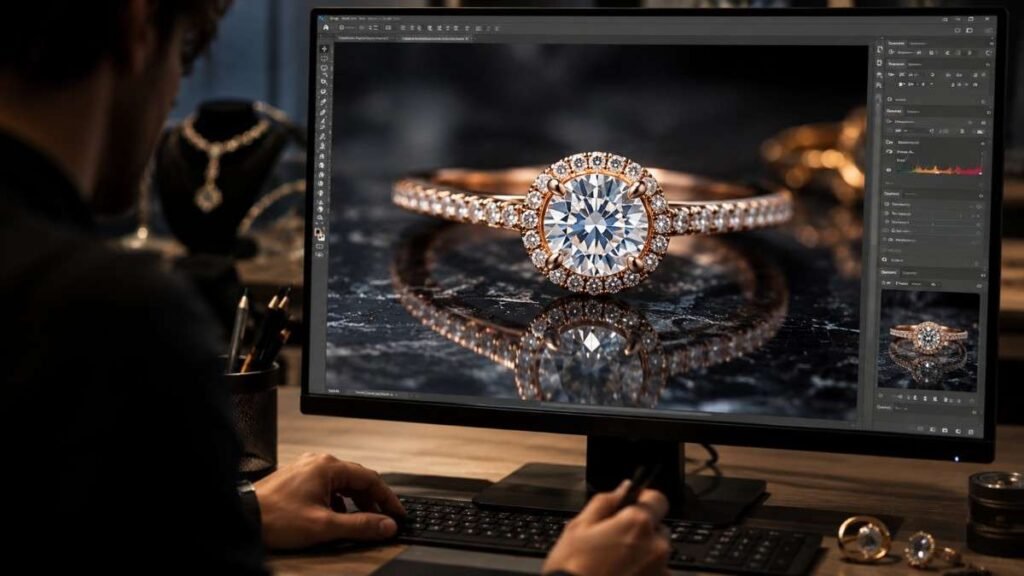
Luxury jewelry deserves visuals that look just as premium online as they do in real life. Tiny scratches, fingerprints, dull reflections, and poor lighting can easily reduce the appeal of even the most expensive pieces. That is where professional jewelry photo retouching tips become essential.
From enhancing gemstone sparkle to refining metallic textures, the right editing techniques help create polished, high-converting product images that attract buyers and strengthen your ecommerce brand presence instantly.
Key Takeaways
- Jewelry retouching improves sparkle, sharpness, and product appeal
- Photoshop tools help remove dust, scratches, and unwanted reflections
- AI editing tools speed up jewelry photo enhancement workflows
- Focus stacking improves macro jewelry photography sharpness
- Consistent color correction creates a premium ecommerce brand look
Why Jewelry Photo Retouching Matters?
Even high-end cameras cannot perfectly capture diamonds, gemstones, and metallic textures without post-production work. Reflections, fingerprints, uneven lighting, and scratches often become more visible in macro photography. Professional jewelry image editing fixes these issues while preserving natural detail and realism.
Jewelry Buyers Judge Visual Quality Fast
Online shoppers make decisions within seconds. If a necklace or ring image looks dark, blurry, or inconsistent, buyers often assume the product itself is low quality. Strong jewelry photo retouching tips help improve trust and make ecommerce listings look more luxurious and professional.
Retouched jewelry images also perform better across Shopify stores, Amazon listings, Etsy shops, and social media ads because they appear cleaner and more visually appealing.
Small Imperfections Become Big Problems
Macro photography magnifies tiny flaws. Dust particles, fingerprints, loose fibers, scratches, and uneven reflections become extremely noticeable during close-up jewelry shoots. Without jewelry retouching Photoshop techniques, these distractions can ruin the final image. Careful editing removes imperfections while maintaining realistic textures so jewelry still looks authentic and premium.
Consistency Builds A Luxury Brand
Professional editing keeps lighting, white balance, color correction, shadows, and contrast uniform across every product photo. This consistency creates a cleaner shopping experience and helps establish stronger brand identity online.
Essential Jewelry Photo Retouching Tips
Professional retouching focuses on improving realism instead of making products look fake.
Remove Dust And Scratches Carefully
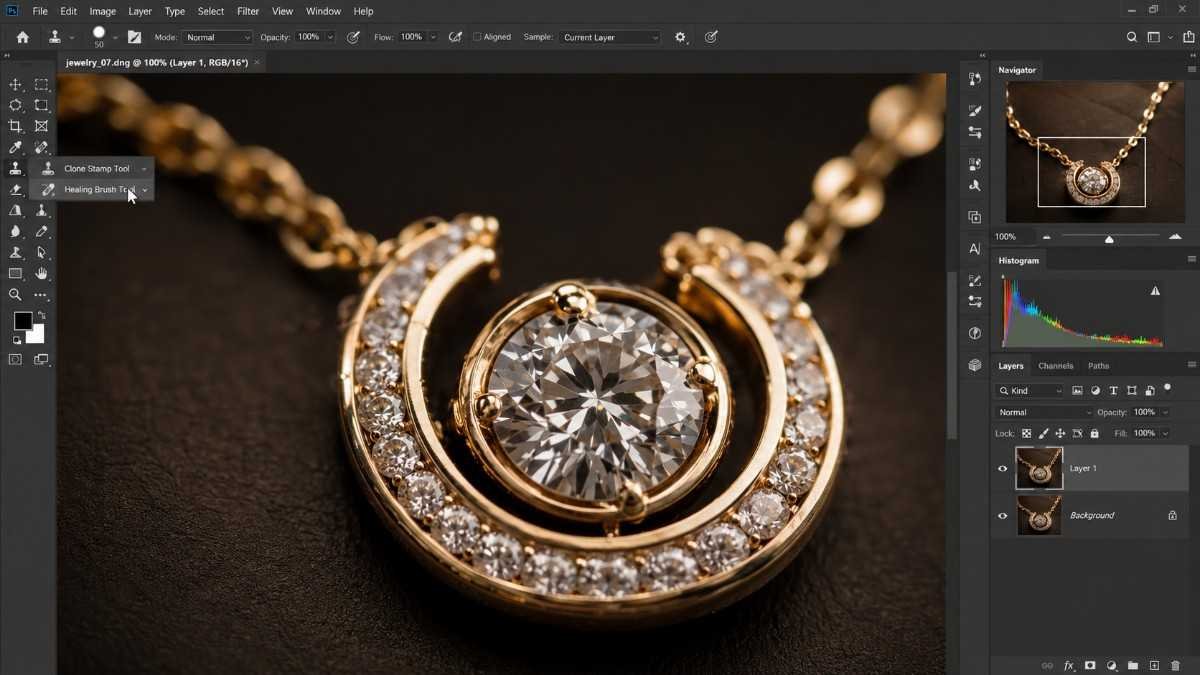
Spot Healing Brush and Clone Stamp tools are commonly used to remove fingerprints, scratches, lint, and tiny imperfections. Macro jewelry shots reveal even the smallest flaws, so detailed cleanup work is essential for polished ecommerce visuals.
Professional jewelry photo retouching also requires restraint. Removing every texture can make rings, necklaces, and bracelets look artificial or plastic-like.
Enhance Sparkle With Dodge And Burn
The Dodge tool brightens reflective areas and gemstone facets while the Burn tool deepens shadows to create depth and dimension. This technique helps jewelry appear sharper and more expensive without overediting the image. Subtle sparkle enhancement usually works better than aggressive glow effects or oversaturated highlights.
Improve Color Accuracy
Color correction is one of the most important jewelry photo retouching tips for ecommerce product photography. Gold should look rich and warm while silver and platinum should maintain realistic cool tones. Slight saturation adjustments can enhance gemstones naturally, but exaggerated color edits often reduce authenticity. Correct white balance also ensures consistency across entire product catalogs.
Jewelry Photo Retouching Tips For Better Backgrounds
Clean backgrounds help jewelry products stand out instantly.
Use Pure White Backgrounds
Removing distracting backgrounds and replacing them with pure white (#ffffff) creates cleaner product images and improves marketplace compliance for Amazon and Shopify listings. Neutral gray backgrounds can also work well for luxury branding and premium jewelry campaigns.
Refine Harsh Reflections
Soft brush adjustments and selective masking techniques help smooth harsh reflections while preserving realistic metallic texture. Proper reflection control prevents jewelry from appearing overly shiny or distorted.
Add Realistic Shadows
Soft drop shadows or reflection shadows create depth and help products feel grounded naturally. Subtle shadow work also improves realism and adds dimension to rings, bracelets, earrings, and necklaces.
AI Tools Changing Jewelry Retouching
Modern editing workflows now combine manual precision with AI automation.
AI Speeds Up Cleanup Work
AI-powered editing tools can quickly remove:
- dust
- smudges
- scratches
- uneven backgrounds
This significantly reduces editing time for large ecommerce jewelry catalogs while maintaining consistency across hundreds of product photos.
AI cleanup tools work especially well for repetitive retouching tasks.
Photoshop AI Helps Reflection Removal
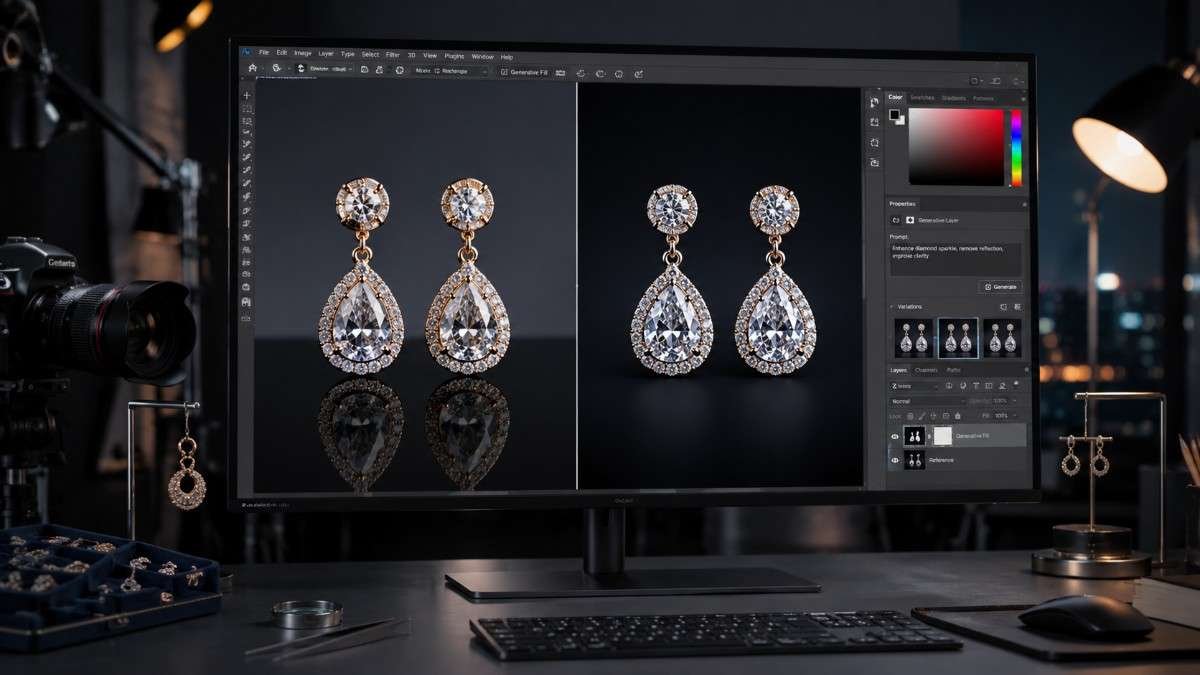
Generative Fill in Photoshop and AI object removal tools simplify difficult reflection corrections. Camera reflections, lighting equipment, and unwanted studio elements can now be cleaned faster without damaging metallic textures or gemstone clarity.
Human Retouching Still Matters
AI improves efficiency but cannot fully replace experienced jewelry retouchers. Luxury product photography requires detailed control over highlights, contrast, gemstone brilliance, texture preservation, and natural reflections. Human editing ensures images remain elegant instead of overly processed.
How To Apply Jewelry Photo Retouching Tips?
A strong editing workflow creates more polished and consistent results.
Start With RAW File Adjustments
Always shoot jewelry photography in RAW format. RAW files contain more image data, which gives editors better control over highlights, shadows, white balance, and color correction during post-production. Begin by correcting exposure, contrast, and lens distortions inside Camera RAW or Lightroom.
Clean The Jewelry Surface
Zoom into the image carefully and inspect every area. Use Spot Healing Brush and Clone Stamp tools to remove dust particles, scratches, fingerprints, and small imperfections. Layer masks help editors make precise adjustments to gemstones or metal surfaces separately without affecting the entire image.
Sharpen Important Details
Subtle sharpening enhances engravings, gemstone edges, and metallic textures. Over-sharpening can create rough edges and unnatural halos, so sharpening should remain controlled and selective. Professional jewelry photo retouching focuses on improving clarity while maintaining a realistic luxury appearance.
Apply Focus Stacking
Macro jewelry photography often struggles with shallow depth of field. Focus stacking combines multiple images captured at different focus points to create one sharp image from front to back. This technique works especially well for engagement rings, watches, and gemstone close-ups.
Export For Ecommerce Platforms
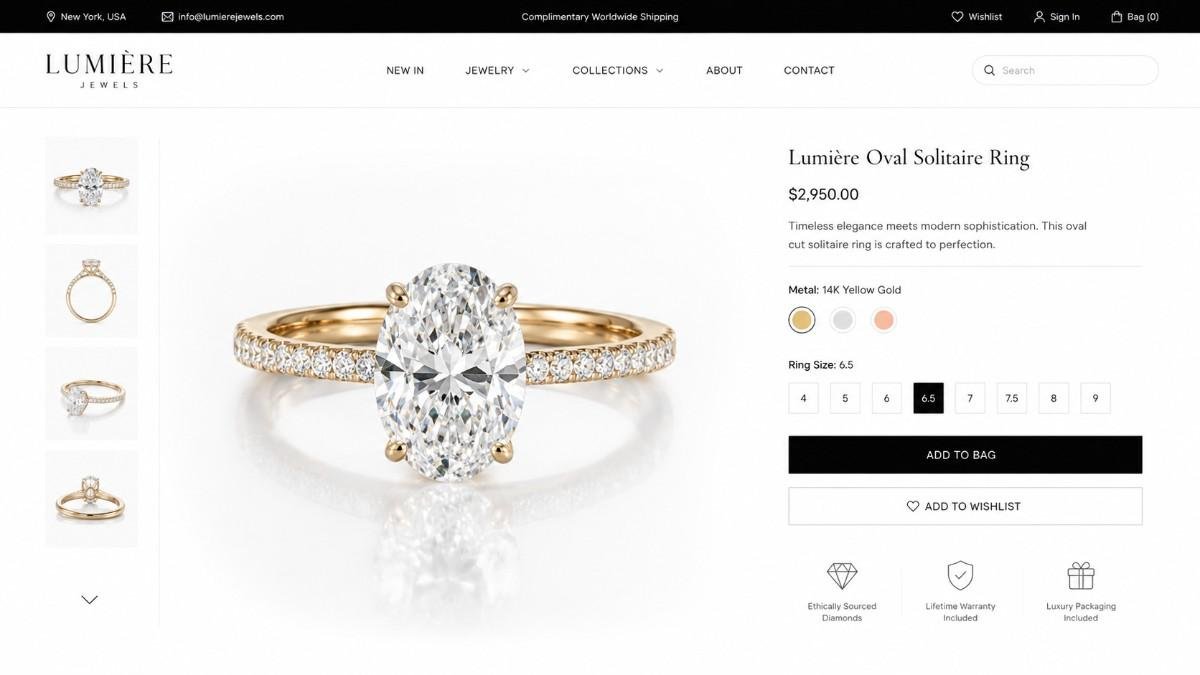
Different ecommerce platforms require different image standards. Amazon product images need pure white backgrounds while Shopify and Etsy often perform better with slightly softer presentation styles. Compress images properly to maintain quality while improving website loading speed and SEO performance.
Common Jewelry Editing Mistakes
Even experienced editors sometimes overprocess jewelry images.
Overediting Textures
Removing every natural texture can make jewelry appear fake. Luxury products should still retain realistic metallic details and surface depth after editing.
Excessive Sharpening
Too much sharpening creates unnatural edges and harsh gemstone outlines. Subtle detail enhancement always produces cleaner results for ecommerce photography.
Inconsistent Lighting
Uneven lighting and color correction across product catalogs can weaken brand identity. Consistency is one of the most valuable jewelry photo retouching tips for ecommerce businesses.
Frequently Asked Questions
1. What Are The Most Important Jewelry Photo Retouching Tips?
Removing dust, correcting reflections, improving sparkle, sharpening details, and maintaining realistic color accuracy are the most important editing techniques.
2. Which Software Is Best For Jewelry Editing?
Adobe Photoshop is the industry standard for jewelry photo retouching because it offers advanced cleanup, masking, sharpening, and color correction tools.
3. Why Is Focus Stacking Useful In Jewelry Photography?
Focus stacking creates fully sharp macro product images by combining multiple focus points into one detailed final photo.
4. Can AI Improve Jewelry Photo Retouching?
Yes. AI tools speed up cleanup work and reflection correction, but professional retouchers still deliver better realism and luxury detailing.
Let Your Jewelry Photos Sparkle
Strong jewelry visuals can instantly improve trust, engagement, and ecommerce conversions. These jewelry photo retouching tips help remove distractions, improve sparkle, refine reflections, and create cleaner product photography that feels luxurious and professional.
Combining Photoshop skills, AI editing tools, realistic shadows, and consistent color correction allows jewelry brands to create premium-quality visuals that stand out in crowded online marketplaces while maintaining a polished and authentic appearance.