
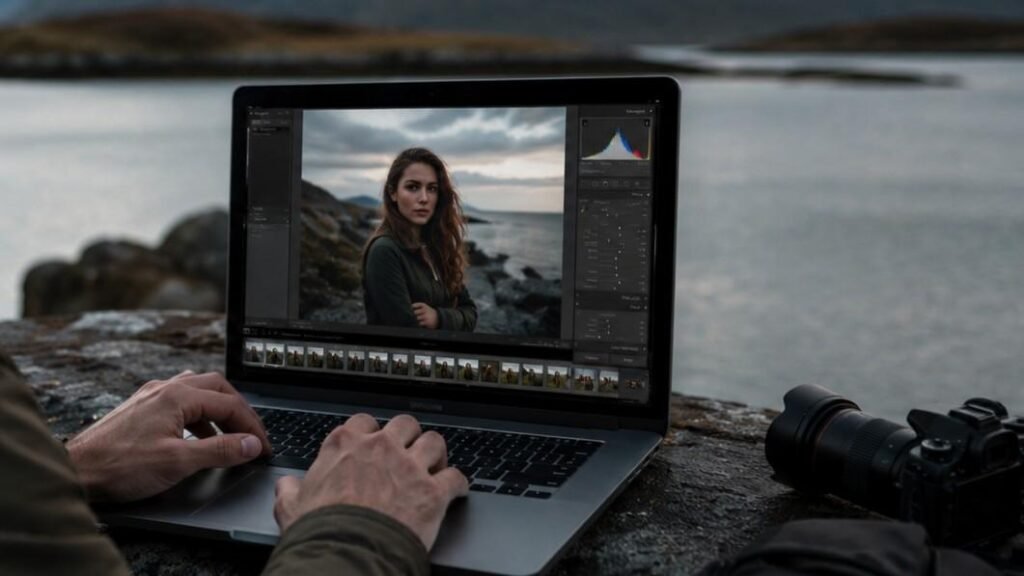
Cloudy days can make outdoor photos feel soft, moody, and cinematic, but they can also leave images looking dull and lifeless straight out of the camera. After spending years editing portraits, landscapes, and travel shots in overcast weather, one thing became clear: learning how to edit cloudy outdoor photos properly can completely transform flat images into bright, professional-looking edits without losing natural detail.
Key Takeaways
- Warm white balance helps remove dull blue tones
- Vibrance works better than saturation for natural colors
- Dehaze and masking tools improve cloudy outdoor images fast
- Lightroom and Photoshop both help recover detail and contrast
- AI editing tools speed up workflow while keeping consistency
So Why Cloudy Outdoor Photos Look Flat?
Cloudy weather creates soft and even lighting, but it also reduces natural contrast and depth in outdoor photography.
Many outdoor images captured on overcast days appear gray because clouds block directional sunlight. Without strong highlights and shadows, the scene loses separation and detail. This is especially noticeable in portrait photography, landscape photography, and travel images.
Another issue comes from cool color temperatures. Cameras often capture cloudy scenes with heavy blue and gray tones, making skin look pale and backgrounds appear dull. Professional photo editors usually fix this by warming the white balance and adjusting tonal balance carefully.
Haze and moisture in the atmosphere can also soften details. Outdoor images may look slightly foggy even when the weather does not seem extreme in person. That is why photographers often use clarity and dehaze tools during the editing process.
Edit Cloudy Outdoor Photos With Better White Balance
White balance adjustments are one of the most important parts of cloudy photo editing.
Warm Up Cool Outdoor Tones
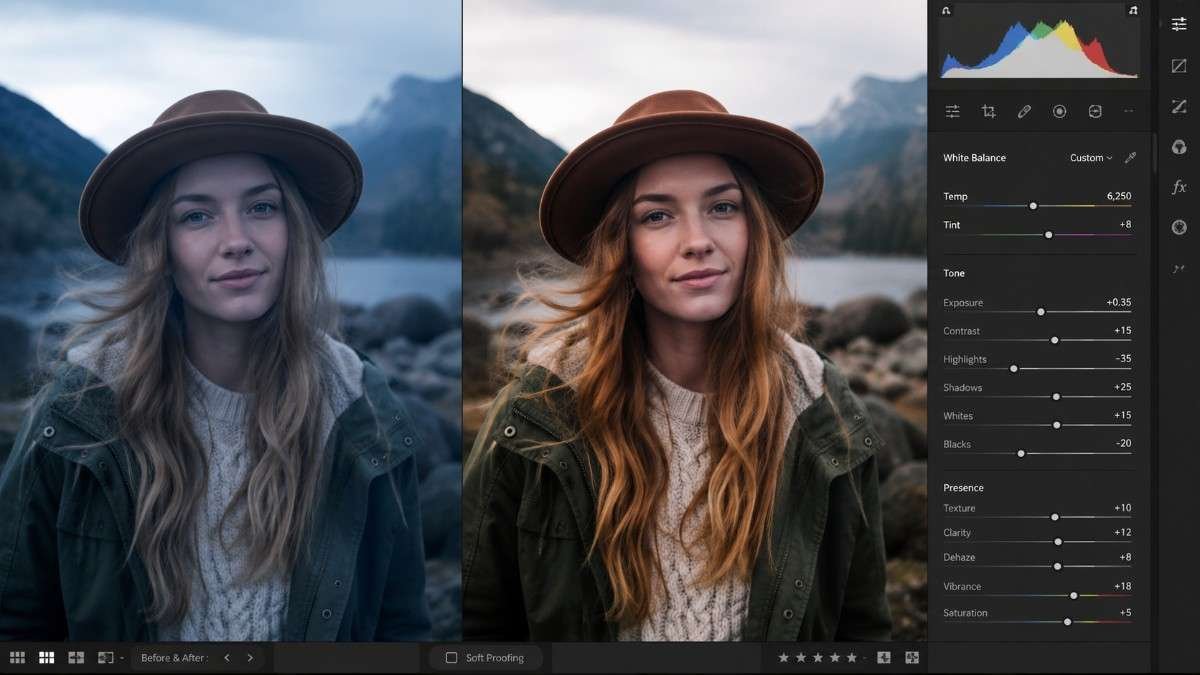
Start by increasing the temperature slider inside Lightroom or Camera Raw. Adding warmth removes unwanted blue tones and gives skin a healthier appearance. Outdoor portraits usually benefit from subtle warmth rather than extreme orange edits.
Professional editors often use the cloudy white balance setting while shooting, then fine-tune colors during post-processing. This creates more balanced outdoor images with realistic tones.
Balance Tint For Natural Skin
Cloudy weather sometimes creates green or magenta shifts. Adjusting the tint slider helps maintain accurate skin tones and cleaner neutral colors. This becomes especially important in wedding photography and outdoor lifestyle shoots where realistic skin tones matter.
Keep The Edit Natural
Strong white balance changes can quickly look fake. The goal is to create warmth while preserving the natural mood of the scene. Small changes usually work better than dramatic temperature shifts.
Boost Contrast Without Overediting
Cloudy light removes depth from outdoor photos, so contrast adjustments help bring images back to life.
Add A Gentle S-Curve
Tone curves create smoother contrast than standard sliders. Adding a soft S-curve deepens shadows while brightening highlights naturally. This technique improves dimension and helps outdoor portraits stand out against flat backgrounds. Many professional photographers prefer curves because they maintain better tonal transitions across the image.
Increase Texture And Clarity Carefully
Texture and clarity restore lost detail. Cloudy outdoor photos often benefit from slight clarity adjustments, especially in landscapes and travel photography. Increasing texture can sharpen foliage, buildings, and clothing details without making the image look harsh. Portrait photographers usually apply clarity selectively to avoid rough-looking skin.
Fix Flat Skies
Overcast skies often appear completely white or gray. Use a graduated filter or sky mask to reduce highlights and lower exposure slightly. Adding a touch of blue saturation can help skies look more dramatic while still remaining realistic.
How To Edit Cloudy Outdoor Photos Step By Step
A proper workflow makes cloudy photo editing faster and more consistent.
Raise Exposure Carefully
Start by brightening the image slightly. Cloudy outdoor photos are often underexposed because cameras struggle with flat lighting. Increase exposure gradually while watching highlights closely. Avoid overbrightening the sky because detail can disappear quickly. Lifting shadows also helps reveal detail in darker areas like faces, trees, and clothing.
Boost Vibrance Instead Of Saturation
Vibrance creates cleaner color adjustments. Unlike saturation, vibrance protects skin tones while enhancing muted colors naturally. This makes outdoor scenes look richer without creating unrealistic edits. Professional photo editors often combine vibrance with selective HSL adjustments for even more control over greens, blues, and warm tones.
Use Dehaze To Remove Cloudiness
The dehaze tool is extremely useful for cloudy outdoor photography. Increasing dehaze slightly helps remove atmospheric softness and improves contrast instantly. Landscapes, mountains, forests, and city photography often look sharper and more detailed after careful dehaze adjustments. Too much dehaze can create unnatural shadows, so subtle edits work best.
Use Masks To Brighten Subjects
Masking tools help separate subjects from flat backgrounds.
Brighten Faces And Eyes
Using radial masks or brush tools allows photographers to brighten subjects without affecting the entire image. Raising shadows and whites slightly can make portraits look cleaner and more professional. Selective sharpening around the eyes also improves focus and detail naturally.
Darken Backgrounds Slightly
Flat lighting can make everything blend together. Reducing exposure slightly in the background helps create depth and separation. This works especially well in outdoor portrait photography and street photography. Modern AI masking tools inside Lightroom now make this process incredibly fast.
Add Local Contrast
Local contrast adjustments improve realism. Applying selective contrast to clothing, hair, or foreground elements creates more texture while keeping the overall image soft and balanced.
Best Tools To Edit Cloudy Outdoor Photos
Different editing tools work better for different photography styles.

Lightroom For Everyday Editing
Features like dehaze, masking, tone curves, and batch editing help photographers process large image collections quickly. Travel photographers and portrait photographers especially benefit from Lightroom’s workflow efficiency. Mobile Lightroom also works surprisingly well for editing photos on iphone and tablets.
Photoshop For Advanced Retouching
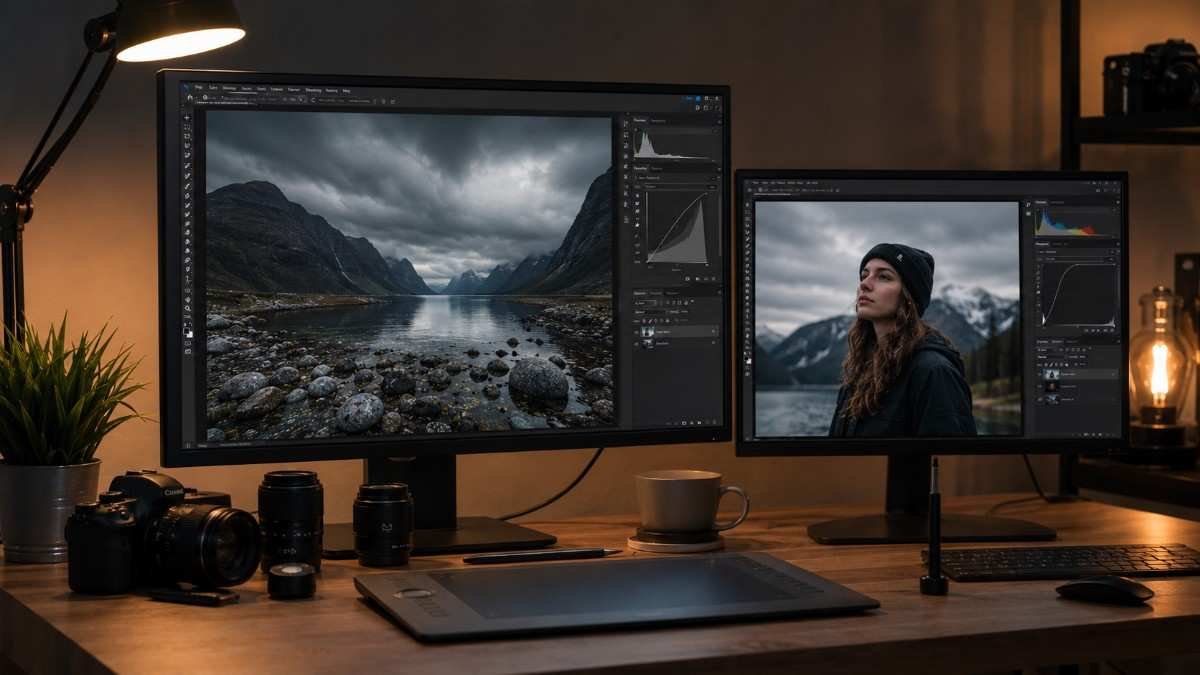
Photoshop gives more creative control. Complex edits like sky replacements, advanced retouching, and detailed masking work better inside Photoshop. Outdoor commercial photography often requires this level of precision. Many photographers combine Lightroom and Photoshop together for the best workflow.
AI Tools For Faster Results
AI editing software has changed photo editing dramatically. Tools like Imagen AI, Luminar Neo, and Topaz Photo AI help photographers speed up repetitive editing tasks while maintaining consistency. AI-powered masking and color correction save hours during portrait and wedding editing. This modern workflow is something many older competitor blogs still fail to discuss properly.
Mobile Editing Tips For Cloudy Photos
Editing on mobile devices has become incredibly powerful. Apps like Lightroom Mobile and Snapseed now include advanced tools such as selective masking, curves, dehaze, and color grading. Outdoor creators can edit cloudy outdoor photos professionally while traveling or creating social media content.
Keeping edits slightly softer also helps images look cleaner after Instagram or TikTok compression. Oversharpening and excessive clarity often create messy-looking uploads on social platforms.
Frequently Asked Questions
1. How to edit photos on a cloudy day?
Warm the white balance, increase vibrance, lift shadows, reduce highlights, and use dehaze carefully. Lightroom and Photoshop both work well for cloudy outdoor photo editing.
2. How to remove cloudiness from a photo?
Use the dehaze tool, improve contrast, increase clarity slightly, and sharpen important details selectively for a cleaner and sharper image.
3. How do I edit a photo to make it look hazy?
Lower contrast slightly, soften clarity, reduce sharpness, and add cooler tones for a dreamy hazy photography effect.
4. What is the 20 60 20 rule in photography?
The 20 60 20 rule divides composition into foreground, subject, and background areas to create balanced and visually appealing outdoor photographs.
Turn Gloomy Shots Into Stunning Outdoor Edits
Learning how to edit cloudy outdoor photos can completely change the way outdoor images look and feel. Simple adjustments like warming the white balance, boosting vibrance, adding gentle contrast, and using dehaze tools can transform dull photos into vibrant professional edits. Whether using Lightroom, Photoshop, or AI editing tools, the key is balancing realism with depth so cloudy outdoor photography looks clean, cinematic, and naturally beautiful.