
Bright sunlight through a café window once turned a perfect portrait into a distracting mess filled with glare and ghost reflections. Thankfully, learning how to remove reflections from photos is much easier today thanks to AI-powered editing tools and smarter retouching software. Whether you edit portraits, ecommerce images, travel shots, or product photography, modern tools can clean unwanted reflections naturally without ruining image quality or skin texture.
Key Takeaways
- AI tools can remove reflections from photos in seconds
- Lightroom and Photoshop offer the cleanest professional edits
- Mobile apps now support automatic glare removal
- High-resolution images produce better reflection cleanup
- Polarizing filters help prevent reflections before shooting
Reflections Ruin Good Photos
Reflections can instantly reduce the quality of an otherwise beautiful image. Window glare, shiny product packaging, reflective glasses, and camera flash often pull attention away from the actual subject.
Professional editors know that reflections are difficult because they overlap with important image details like skin texture, eyes, product labels, or scenery behind glass. Poor edits can leave blurry patches or unnatural lighting.
Modern AI editing trends now solve this problem far more effectively than older clone-stamp methods. Advanced software can detect glare automatically and rebuild missing textures naturally while preserving sharpness and lighting balance.
Common Types Of Reflections
Different reflections require different editing methods.
Window Reflections
Glass reflections are common in travel photography, street portraits, and architecture shots. These reflections often overlap with the background and make details difficult to see clearly.
Flash Glare
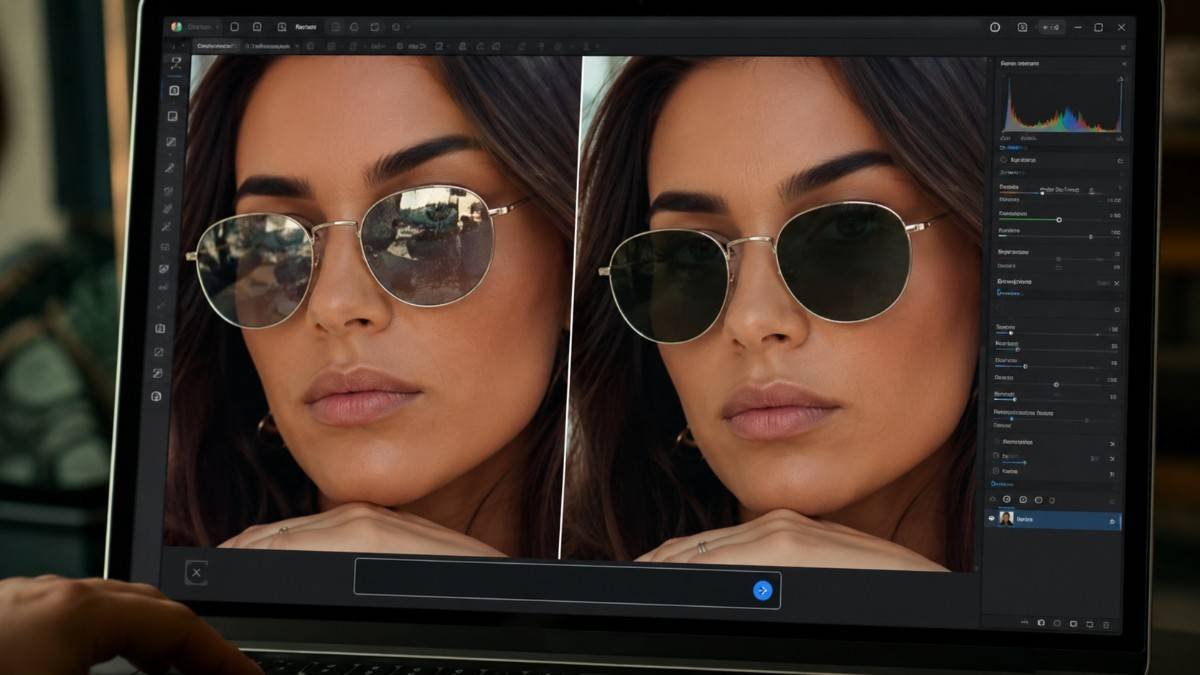
Harsh camera flash can create bright hotspots on faces, mirrors, glasses, and shiny objects. Learning how to remove flash glare is important for achieving polished portrait edits.
Product Shine
Ecommerce photographers often struggle with reflections on packaging, metal surfaces, and glossy products. Clean product images usually require reflection removal for a more professional appearance.
Best AI Tools To Remove Reflections From Photos
AI-powered editors are now the fastest and easiest way to clean unwanted glare.
AirBrush AI Reflection Removal
AirBrush includes a smart Remove Glare feature that automatically detects reflective areas and softens them naturally. It works especially well on sunglasses, windows, shiny packaging, and outdoor portraits taken in direct sunlight.
The editing process is extremely fast because the software uses AI object detection to rebuild nearby textures instead of manually cloning pixels. This creates cleaner edits while preserving realistic detail.
Evoto AI For Portrait Editing
The software specializes in removing reflections from glasses while maintaining natural eye details underneath. It also improves skin texture and lighting balance automatically, which helps portraits look polished without appearing over-edited.
Many professional editors prefer Evoto AI because it speeds up workflow significantly compared to manual Photoshop retouching.
Claid.ai For Product Photos
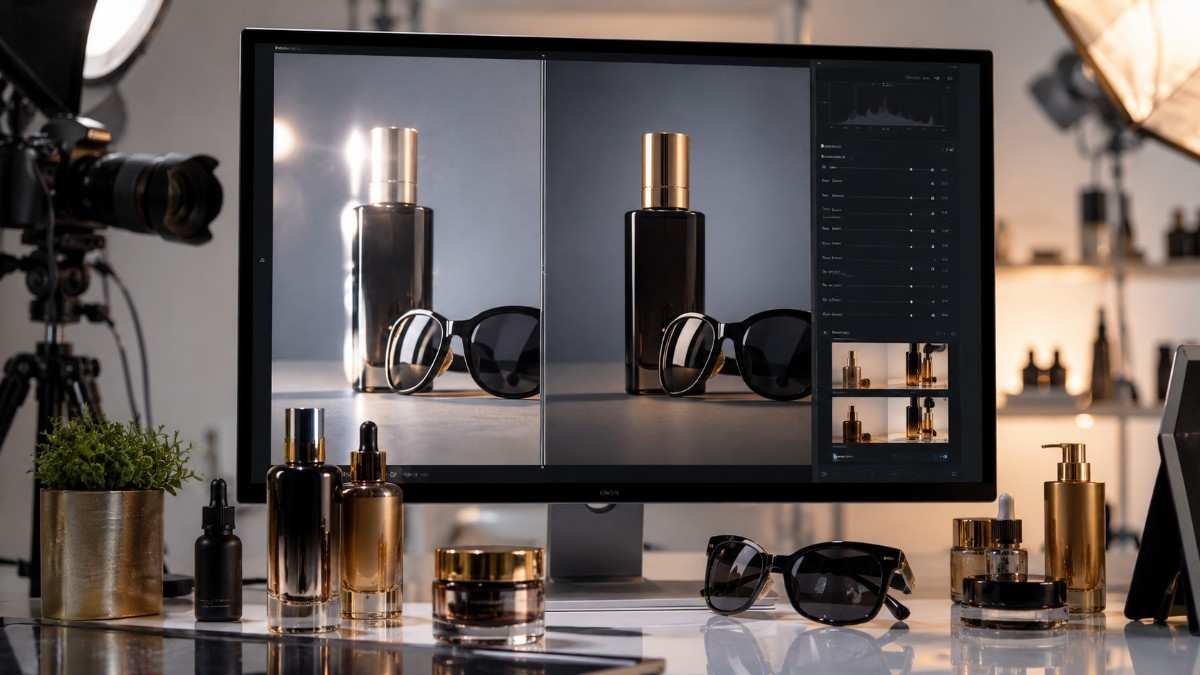
Claid.ai focuses heavily on ecommerce photography and commercial image editing. The tool removes glare from shiny packaging, metal surfaces, and reflective products automatically. Brands use it to improve online store images because cleaner photos often increase customer trust and conversions.
Remove Reflections From Photos In Lightroom
Adobe Lightroom and Camera Raw now include advanced AI reflection removal features.
Open The Reflection Removal Tool
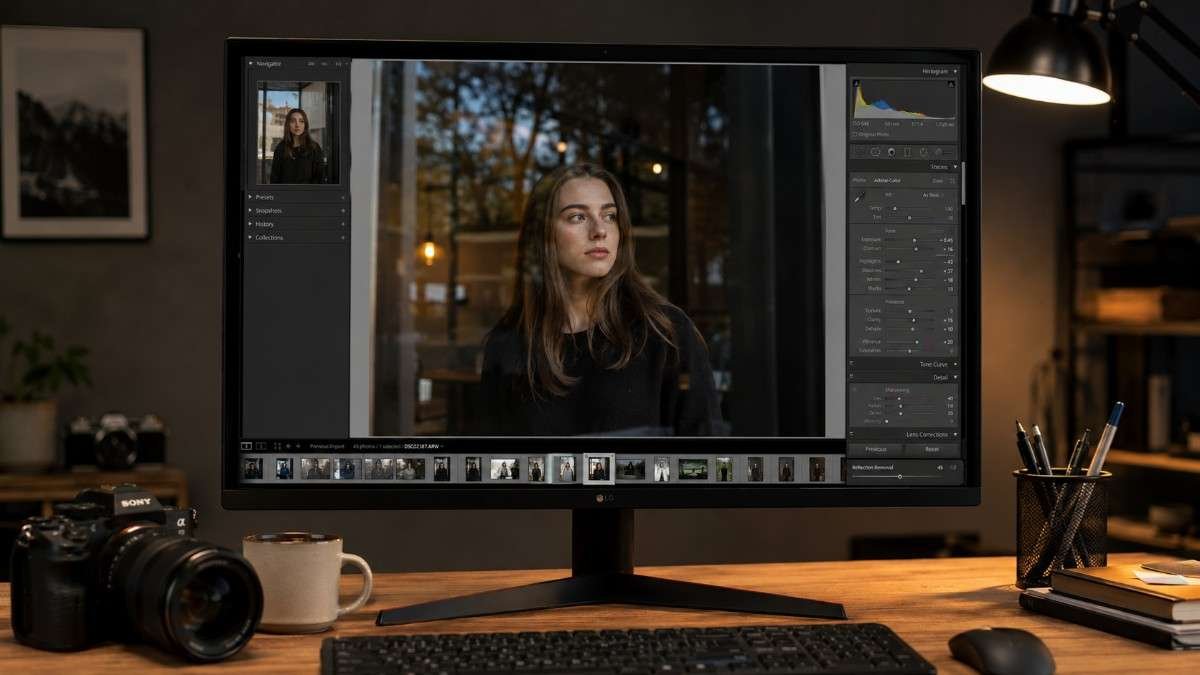
Adobe recently introduced a dedicated Reflection Removal feature inside Camera Raw and Lightroom. Open the image and navigate to the Remove panel. Select Distraction Removal and choose Reflections. The AI system automatically scans the image and identifies reflective areas that need correction. This method works particularly well for remove window reflections tasks where traditional editing tools usually struggle.
Adjust The Reflection Slider
After detection, Lightroom provides a slider to control the intensity of reflection cleanup. Increasing the slider toward 100 improves reflection removal strength. Moderate adjustments often look more natural because some reflections contribute to realistic lighting and depth. Professional editors usually zoom in closely while adjusting sliders to preserve fine details around edges and textures.
Use High Resolution Files
Higher quality images produce cleaner AI edits. Low-resolution photos sometimes create soft edges or blurry textures after reflection removal. RAW files generally deliver the best results because they contain more image data for AI processing. This is especially important for commercial photography and portrait retouching where detail preservation matters most.
Remove Reflections In Photoshop
Photoshop remains one of the most powerful tools for detailed reflection editing.
Camera Raw Reflection Feature
The newest Photoshop versions include Camera Raw reflection cleanup tools directly inside the editing workflow. Editors can brush over reflective areas while allowing Adobe AI to rebuild nearby textures automatically. This creates more natural-looking results compared to older manual cloning methods. Many professionals now combine AI cleanup with traditional retouching techniques for maximum precision.
Clone Stamp And Healing Brush
Some difficult reflections still require manual touch-ups. The Clone Stamp tool helps copy nearby clean areas over glare spots, while the Healing Brush blends textures naturally into surrounding pixels. Small edits usually produce smoother results than large brush strokes.
This technique works especially well for removing reflections from glasses and correcting small reflective distractions in portraits.
Watch Photoshop Reflection Tutorials
Video tutorials can help beginners understand advanced workflows faster. One highly viewed Photoshop tutorial demonstrates how to remove glass reflections with one click using Camera Raw AI tools. Watching professional retouchers edit real images often improves editing skills much faster than reading instructions alone.
Mobile Apps That Remove Reflections Fast
Phone editing apps have improved dramatically over the last few years.
Samsung Galaxy Reflection Eraser
Samsung Galaxy S23 and S24 devices include built-in AI reflection removal. Open the Gallery app, tap Edit, then choose Object Eraser and select Erase Reflections. The AI system automatically removes glare from reflective surfaces and glass areas. This makes quick mobile editing much easier for casual users and social media creators.
Snapseed For Simple Cleanup
Snapseed remains one of the best free editing apps for quick reflection fixes. Its Healing tool can reduce small glare spots on windows, mirrors, and shiny objects effectively. While not as advanced as Photoshop, it works well for everyday image cleanup.
Lightroom Mobile Editing
Lightroom Mobile combines AI masking tools with local adjustments for glare correction. Lowering highlights and adjusting local contrast can reduce reflections naturally while preserving texture and lighting balance.
Pro Tips For Better Reflection Removal
Smart editing techniques make reflection cleanup look much more natural.
Batch Editing Saves Time
Photographers editing multiple images should use Lightroom copy-paste settings. Once reflection cleanup settings are perfected on one image, those adjustments can be applied to entire batches quickly. This dramatically speeds up workflow for weddings, ecommerce photography, and event shoots.
Preserve Texture Carefully
Over-editing often creates plastic-looking skin or blurry product surfaces. Professional editors preserve natural texture by using subtle adjustments instead of aggressive smoothing. Realistic edits always outperform overly polished images.
Prevent Reflections Before Shooting
Editing is easier when reflections are minimized during photography. Using a polarizing filter helps reduce glare on water, windows, metal surfaces, and glass before editing even begins. Proper lighting angles also reduce unwanted reflections naturally.
Frequently Asked Questions
1. Can I remove a reflection from a photo?
Yes, you can remove reflections from photos using AI tools, Lightroom, Photoshop, or mobile editing apps that automatically detect glare and reflective surfaces.
2. What is the app that removes reflection?
Apps like AirBrush, Evoto AI, Snapseed, Lightroom Mobile, and Samsung Gallery Editor can remove reflections and glare effectively.
3. How to remove reflection from photo in iPhone?
Use Lightroom Mobile, Snapseed, or AI editing apps to heal reflective areas and reduce glare using selective editing tools.
4. What filter gets rid of reflections?
A polarizing filter helps reduce reflections on glass, water, and shiny surfaces while taking photos outdoors.
Fun Fixes For Cleaner Photos
Learning how to remove reflections from photos can completely transform portraits, product images, travel shots, and social media content. AI-powered tools like AirBrush, Evoto AI, Lightroom, and Photoshop now make reflection cleanup faster and more accurate than ever before.